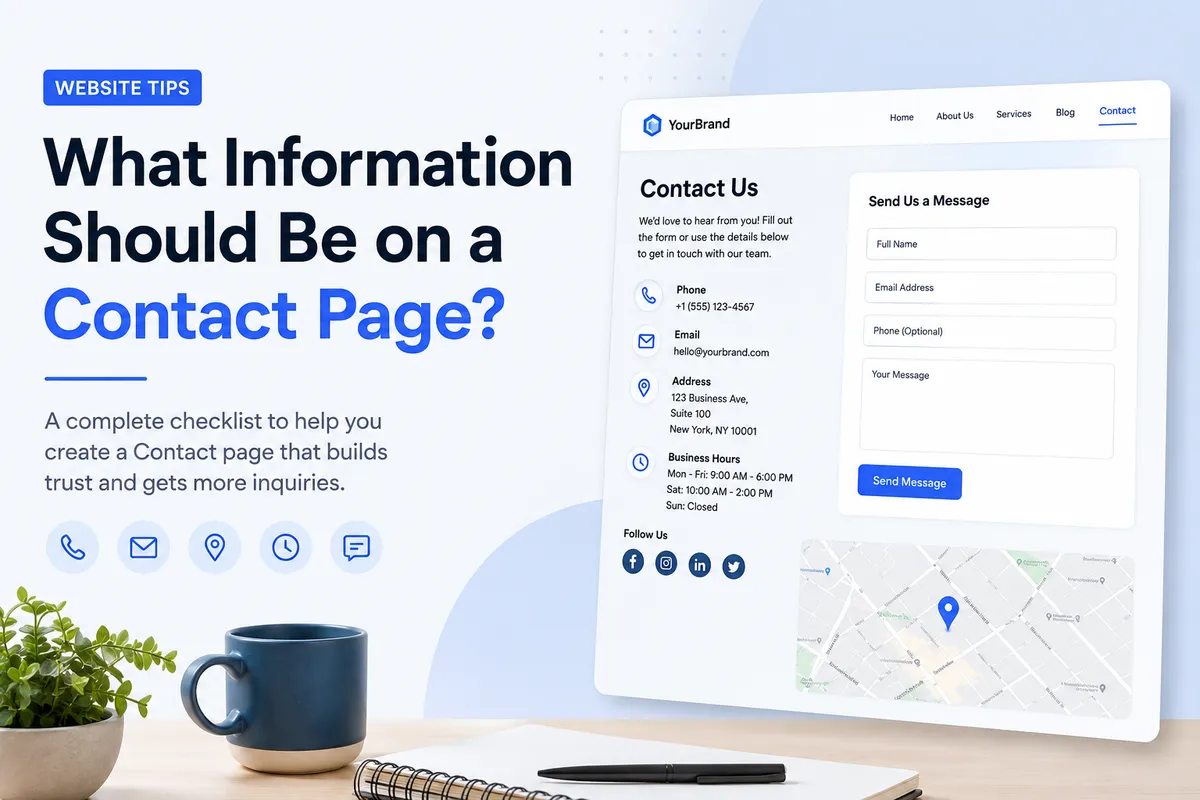
What Information Should Be on a Contact Page?
Learn what to include on your Contact page to make it easy for customers to reach you, build trust, and improve your website's user experience.
A Contact page might seem like one of the simplest pages on your website.
Just add your phone number, email address, and you're done.
Right?
Not quite.
Your Contact page is often one of the last stops visitors make before becoming customers. They've already explored your services, read about your business, and decided they're interested. Now they want one thing: a simple way to get in touch.
If your Contact page is confusing, missing important details, or difficult to use, you could lose potential customers at the final step.
The good news is that creating a great Contact page is easier than you might think.
Let's look at exactly what information every Contact page should include.
Why a Well-Designed Contact Page Increases Leads and Builds Trust
A Contact page isn't just there to display your email address.
It helps visitors feel confident that they're dealing with a real business.
A well-designed Contact page should:
Make it easy to contact you.
Answer common questions.
Build trust.
Reduce friction before a customer reaches out.
Encourage more inquiries and leads.
The easier you make it for people to contact you, the more likely they are to do it.
What Information Should Every Contact Page Include?
Not every business needs the same details, but most Contact pages should include the following.
Business Name
Always display your business name clearly.
It reassures visitors they've reached the right place and strengthens your brand.
Phone Number
If customers can call you, make your phone number easy to find.
On mobile devices, use a clickable phone link so visitors can call with a single tap.
Email Address
Some people prefer email over phone calls.
Display a professional email address, such as:
Avoid outdated email providers if possible.
A custom domain email looks more trustworthy.
Contact Form
Many visitors don't want to open their email app.
A simple contact form makes reaching out quick and convenient.
Ask only for the information you really need.
For most businesses, these fields are enough:
Name
Email
Phone (optional)
Message
Shorter forms usually receive more submissions.
Business Address
If you have a physical location, include your address.
This is especially important for:
Restaurants
Retail stores
Medical clinics
Salons
Local businesses
Adding your address also supports local SEO by helping search engines understand where your business operates.
Business Hours
Save customers from calling when you're closed.
Clearly display:
Opening hours
Weekend availability
Holiday hours (if applicable)
Google Map
Embedding a Google Map makes it much easier for visitors to find your location.
It's particularly useful for businesses that rely on local customers.
Social Media Links
Include links to your active social media profiles.
This gives visitors additional ways to connect with your business.
Only include platforms you actively use.
Frequently Asked Questions
A small FAQ section can reduce unnecessary inquiries.
Examples include:
How quickly do you respond?
Do you offer free consultations?
What areas do you serve?
Do I need an appointment?
Answering these questions upfront improves the user experience.
How to Write a Contact Page That Builds Trust
Your Contact page shouldn't feel cold or robotic.
Instead of writing:
Submit your inquiry.
Try something friendlier:
We'd love to hear from you. Whether you have a question about our services or just want some advice, feel free to get in touch.
Small details like this make your business feel more approachable.
Contact Page SEO Best Practices
Many business owners overlook the SEO potential of their Contact page.
Here are a few simple ways to optimize it.
Include Your Business Location
If you serve a local area, mention your city or region naturally.
For example:
Our office is located in Warsaw, where we help businesses across Poland create professional websites.
Add Local Business Information
Your business name, address, phone number, and opening hours help search engines verify your business.
Make sure this information matches your Google Business Profile.
Use Internal Links
Your Contact page shouldn't be a dead end.
Link to:
Services
About Us
Pricing
Blog
Homepage
This helps visitors continue exploring your website.
Optimize Your Page Title
Instead of:
Contact
Use:
Contact Instago.ai | Get in Touch
Or:
Contact Our Team | Free Consultation
Common Contact Page Mistakes That Cost You Leads
Avoid these common mistakes:
Hiding your phone number.
Asking for too much information in your contact form.
Forgetting your business hours.
Using an outdated email address.
Not including your location.
Making visitors create an account before contacting you.
Forgetting to test your contact form.
One broken contact form can cost you valuable leads.
Create a Contact Page That Encourages People to Reach Out
Your Contact page isn't just a place to display your details.
It's the final step before someone becomes a customer.
Keep it simple.
Make it easy to contact you.
Answer common questions.
Show visitors there's a real person behind the business.
Most importantly, remove anything that makes getting in touch harder than it needs to be.
If you're building your website with Instago.ai, you can generate a professional Contact page in minutes, complete with contact forms, maps, business details, and layouts designed to help visitors reach you with confidence.