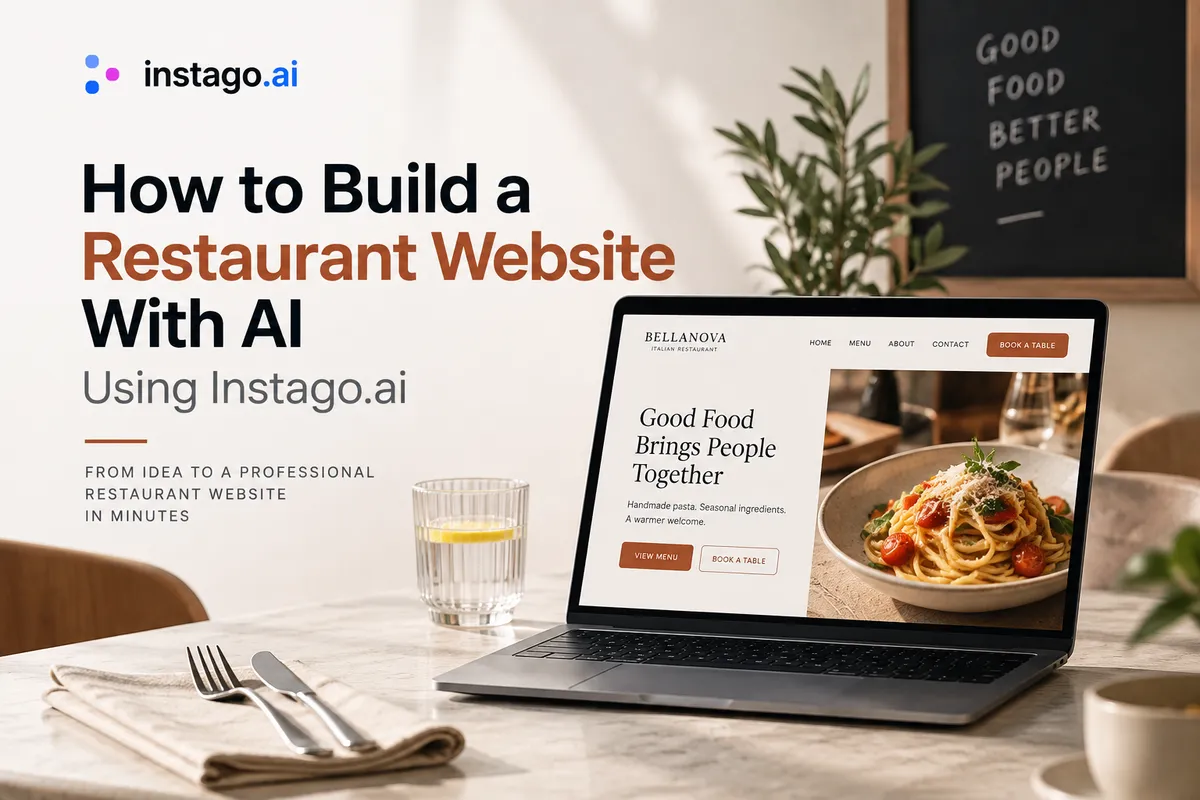
How To Build A Restaurant Website With AI Using Instago.ai
Building a restaurant website no longer has to start with a blank template. With an AI restaurant website builder like Instago.ai, you can describe your restaurant, generate the initial website, customize the content and design, add your menu and restaurant information, and prepare your site for customers without building every section manually. How To Build A Restaurant Website With AI.
In this guide, we'll show you how to build a restaurant website with AI using Instago.ai, what information to prepare, what pages to create, how to improve AI-generated restaurant copy, and what to check before publishing your site.
Why Build a Restaurant Website With Instago.ai?
Traditional website builders often begin by asking you to choose a template.
Then the real work begins.
You have to decide which sections you need, arrange the layout, replace placeholder text, write headlines, create service sections, add calls-to-action, and make everything fit your restaurant.
Instago.ai takes a different approach.
You start with your business.
Describe your restaurant, what you serve, where you're located, and what makes you different. AI can then help turn that information into the foundation of your website.
For example, instead of manually creating a homepage from an empty canvas, you could start with information like:
Bellanova is a family-run Italian restaurant in Bath specializing in handmade pasta and regional dishes from Emilia-Romagna. Our chef grew up near Bologna, and we make fresh pasta every morning. The restaurant has a relaxed neighborhood atmosphere with 45 seats and a small courtyard. Our main customers are local couples, families, and tourists.
That gives Instago.ai much more useful context than simply:
Italian restaurant website.
The result is a much better starting point because the website can be built around the actual restaurant rather than generic placeholder content.
What You Need Before Creating a Restaurant Website With Instago.ai
You don't need to write your entire website before using AI.
That's partly the point.
But you should collect the basic facts about your restaurant first.
Prepare information such as:
Restaurant name
Cuisine
City and neighborhood
Restaurant concept
Signature dishes
Short restaurant story
Target customers
Atmosphere
Address
Phone number
Opening hours
Menu
Reservation information
Ordering information
Dietary options
Social profiles
Restaurant photos
Don't worry if you don't have polished website copy yet.
You can start with facts.
Instago.ai can help turn those facts into website content, which you can then refine with your own voice and restaurant-specific details.
You may also like: “How to Write Website Copy for Restaurants That Attracts More Customers.”
Step 1: Tell Instago.ai About Your Restaurant
The first step is giving AI enough context to understand your business.
This is where specificity matters.
Don't just say:
Create a restaurant website.
Or even:
Create a website for my Italian restaurant.
There are thousands of Italian restaurants.
Instead, describe what makes yours different.
Better Instago.ai prompt:
Create a website for Bellanova, a family-run Italian restaurant in Bath.
We specialize in handmade pasta and traditional dishes from Emilia-Romagna. Our chef grew up outside Bologna and makes fresh pasta every morning.
The restaurant is relaxed and welcoming rather than formal, with 45 indoor seats and a small courtyard.
Our customers are mainly local couples, families, and tourists.
The most important actions on the website should be viewing our menu and booking a table.
Now AI understands the business, location, food, story, atmosphere, audience, and conversion goal.
That's a much stronger foundation.
Step 2: Let Instago.ai Generate the Initial Restaurant Website
Once Instago.ai understands your restaurant, use it to create the first version of your website.
Instead of manually deciding:
Should testimonials go here?
Do I need an About section?
Where should the menu CTA appear?
What should the headline say?
What goes below the hero?
you can begin with an AI-generated structure and improve it.
For a restaurant, a strong homepage might include:
Hero → Signature dishes → Restaurant story → Menu preview → Atmosphere/photos → Reviews → Location and opening hours → Reservation CTA
You aren't locked into the generated structure.
Think of it as the first draft of your website.
AI gets you past the empty-page problem.
You provide the judgment.
Step 3: Improve Your AI-Generated Restaurant Homepage
The homepage should immediately tell visitors what kind of restaurant they've found.
Suppose the generated headline is:
Experience Authentic Italian Cuisine
It's not terrible.
But it could belong to an Italian restaurant in London, New York, Warsaw, Rome, or Sydney.
Make it specific.
Better:
Handmade Pasta & Regional Italian Cooking in Bath
Then support it:
Fresh pasta made every morning, seasonal dishes inspired by Emilia-Romagna, and Italian wines in a relaxed neighborhood setting.
And give customers obvious actions:
[View Menu] [Book a Table]
Now the first screen answers:
What? Italian regional cooking.
Specialty? Handmade pasta.
Where? Bath.
What next? Menu or reservation.
That's much more effective restaurant website copy.
Step 4: Use Instago.ai to Create Your Restaurant Website Copy
One of the most useful applications of AI website building is eliminating blank copy fields.
Instead of writing every section from scratch, use Instago.ai to generate the initial content and then make it more specific.
The important word is initial.
Don't blindly publish every sentence AI generates.
Suppose you get:
We use the finest ingredients to create unforgettable dishes made with passion.
Ask yourself:
Could another restaurant say exactly the same thing?
If yes, improve it.
Before
Our chefs create authentic Italian dishes using fresh, high-quality ingredients.
After
Every morning, our kitchen makes fresh tagliatelle, ravioli, and tortellini before preparing sauces and fillings inspired by Emilia-Romagna.
The second version gives the reader something tangible.
Use AI for speed.
Use your knowledge for specificity.
Step 5: Create Your Restaurant Menu Page With Instago.ai
For many restaurant websites, Menu will be one of the most visited pages.
Don't treat it as an afterthought.
Create clear categories based on your actual menu.
For example:
Antipasti
Fresh Pasta
Secondi
Sides
Desserts
Wine
Cocktails
Then improve dish descriptions.
Instead of:
Truffle Pasta
Delicious pasta with truffle sauce.
write:
Truffle Tagliatelle
Fresh tagliatelle, wild mushrooms, brown butter, Parmesan, and black truffle.
AI can help you rewrite inconsistent menu descriptions into a consistent style.
For example, you could provide your existing menu and ask for descriptions that are:
short, specific, appetizing, and focused on ingredients rather than exaggerated adjectives.
But always check the output.
Your website should never list an ingredient, dietary claim, price, or dish that isn't actually available.
Step 6: Create an About Section That Doesn't Sound Generic
Restaurant stories can be powerful.
Unfortunately, AI-generated About pages can quickly become filled with phrases about “passion,” “culinary journeys,” and “bringing people together.”
Give Instago.ai real material instead.
For example:
Our chef Marco grew up outside Bologna. Sunday lunches at his grandparents' home usually involved handmade pasta and several generations around one table. After working in restaurants in Bologna and London, he opened Bellanova in Bath in 2022.
Now you have something worth writing about.
The resulting section could become:
From Bologna to Bath
Bellanova is inspired by the food Marco grew up eating outside Bologna: handmade pasta, seasonal ingredients, and long dinners shared around the table. After cooking professionally in Bologna and London, he opened Bellanova in Bath to bring those traditions to a relaxed neighborhood restaurant.
That's more memorable than:
Our passion is creating exceptional culinary experiences.
Step 7: Add Real Restaurant Photos to Your Instago.ai Website
AI can help build the website.
Your actual restaurant should provide the visual proof.
Replace generic placeholder imagery with real photographs of:
Signature dishes
Dining room
Restaurant exterior
Bar
Terrace
Chef
Team
Kitchen
Private dining spaces
Your photos answer an important question:
What will it actually feel like to eat here?
That matters enormously for restaurants.
Someone choosing between three places for dinner may make the final decision based on atmosphere.
Show them yours.
Step 8: Make “Book a Table” a Primary Website Action
Now think about what you actually want visitors to do.
For many sit-down restaurants, that's:
Book a Table
Make that action obvious throughout your Instago.ai website.
Consider placing it in the:
Navigation
Homepage hero
Menu page
Restaurant story
Location section
Bottom of important pages
Don't replace it with vague language such as:
Get Started
Discover More
Connect With Us
Restaurant customers already know what they want to do.
Use their language.
Book a Table.
Step 9: Add Online Ordering When It Matches Your Restaurant
Not every restaurant prioritizes reservations.
Your Instago.ai website should reflect your actual business model.
For a takeaway restaurant:
Order Online
may be the primary CTA.
For a fine-dining restaurant:
Book a Table
makes more sense.
For a café:
View Menu
Get Directions
might be more useful.
For a catering business:
Request a Catering Quote
could be the highest-value action.
Tell Instago.ai what your primary customer action is rather than allowing the website to treat every CTA equally.
Step 10: Add Your Location and Opening Hours
Never make customers hunt for basic restaurant information.
Your website should clearly show:
Address
Opening hours
Phone number
Directions
Reservation information
If your kitchen hours differ from your restaurant hours, explain that too.
Consider including location information on the homepage as well as your dedicated Contact or Location page.
This is useful for customers and helps reinforce your restaurant's geographic relevance.
Step 11: Optimize Your Instago.ai Restaurant Website for Local SEO
Once the basic website is generated, optimize it for how people actually search for restaurants.
Someone may search:
Italian restaurant in Bath
handmade pasta Bath
romantic restaurants Bath
family restaurant Bath
restaurant with outdoor seating Bath
Your website should naturally communicate which of these concepts genuinely apply.
For example:
Generic homepage title
Bellanova | Welcome
Better
Bellanova | Italian Restaurant in Bath
Your homepage H1 might then be:
Handmade Pasta & Regional Italian Cooking in Bath
Notice that we're not stuffing the page with:
Best Italian restaurant Bath Italian food Bath best pasta restaurant Bath...
Local SEO should make your content clearer, not uglier.
Step 12: Use Instago.ai to Create Useful Restaurant FAQs
FAQs are another area where AI can save time.
Ask Instago.ai to create a starting FAQ section based on your restaurant information.
Questions might include:
Do you accept walk-ins?
Do you offer vegetarian dishes?
Do you have vegan options?
Can you accommodate gluten-free diets?
Do you have outdoor seating?
Can I book for a large group?
Do you offer private dining?
Is the restaurant wheelchair accessible?
Where can I park?
But don't let AI invent the answers.
Replace generated assumptions with your actual policies.
The FAQ should reduce customer uncertainty - not create it.
Step 13: Create Additional Restaurant Pages With AI
Once your core website is ready, Instago.ai can help you expand it around the services that matter to your restaurant.
For example:
Private Dining
Create a page explaining your private space, capacity, menus, occasions, and inquiry process.
Catering
Explain the events you cater, locations you serve, menu options, and how customers can request a quote.
Group Dining
Explain group sizes, set menus, deposits, and reservation requirements.
Events
Promote wine tastings, live music, chef dinners, seasonal events, or workshops.
Gift Cards
Explain how customers can purchase restaurant gift cards.
This is where an AI website builder becomes particularly useful.
Instead of redesigning a new page every time your business grows, you can use AI to help create the initial structure and copy, then customize it.
Step 14: Review Your Instago.ai Website on Mobile
A restaurant website needs to work exceptionally well on a phone.
Imagine someone searching for somewhere to eat while walking around your neighborhood.
They shouldn't need to zoom, search through menus, or navigate six pages to find your address.
Check whether mobile visitors can quickly:
View Menu
Book a Table
Order Online
Call
See Opening Hours
Get Directions
Pay particular attention to your first screen.
If a huge image pushes the restaurant name, description, and reservation button far below the fold, reconsider the layout.
Beautiful design should not get in the way of useful information.
Step 15: Review the AI-Generated Website Before Publishing
This step is non-negotiable.
AI-generated content can sound convincing even when a detail is incorrect.
Before publishing your Instago.ai restaurant website, verify:
Restaurant name
Address
Phone number
Opening hours
Kitchen hours
Menu items
Prices
Ingredients
Dietary information
Reservation links
Ordering links
Social links
Restaurant history
Awards
Chef information
Services
Policies
Then read the website as if you were a first-time customer.
Can you immediately answer:
What kind of restaurant is this?
Where is it?
What does it serve?
How much does the food cost?
When is it open?
What does it look like?
How do I book?
If the answers are obvious, you're close to launch.
A Restaurant Website Prompt You Can Use With Instago.ai
Here's a more complete starting prompt:
Create a professional website for [restaurant name], a [cuisine] restaurant in [city/neighborhood].
We specialize in [signature dishes/cooking style].
Our restaurant is different because [specific differentiator].
Our story is [short origin story].
The atmosphere is [casual, romantic, family-friendly, modern, fine dining, etc.].
Our main customers are [audience].
Our most important website actions are [Book a Table / View Menu / Order Online / Get Directions].
Build a homepage that includes a clear hero section, signature dishes, short restaurant story, menu preview, restaurant atmosphere, customer reviews, location, opening hours, and a strong reservation or ordering CTA.
Keep the copy concise, specific, warm, and natural. Avoid generic phrases such as “culinary journey,” “finest ingredients,” “food made with passion,” and “unforgettable dining experience.”
Then replace the placeholders with your actual restaurant information.
From One Prompt to a Complete Restaurant Website With Instago.ai
The goal isn't to have AI pretend to run your restaurant.
The goal is to remove the parts of website creation that slow restaurant owners down.
Instead of starting with:
Blank page → Choose layout → Create sections → Write copy → Rewrite copy → Arrange sections → Add CTAs
you can move toward:
Describe restaurant → Generate website → Customize → Review → Publish
That's the real advantage of using an AI website builder for restaurants.
You remain in control of the restaurant's story, information, food, imagery, and brand.
AI handles more of the initial website-building work.
Common Mistakes When Building a Restaurant Website With Instago.ai
AI makes website creation faster, but don't confuse faster with finished.
Avoid:
Publishing the first generated copy without editing
Providing Instago.ai with only a one-sentence business description
Leaving generic restaurant copy everywhere
Using images that don't represent your real restaurant
Hiding the menu
Making reservations difficult to find
Forgetting opening hours
Ignoring mobile visitors
Stuffing location keywords into the copy
Allowing AI to invent restaurant facts
Creating unnecessary pages just because AI makes them easy
Forgetting to update menus and business information after launch
The best AI-generated restaurant website should eventually feel less like an “AI website” and more like your restaurant online.
Build Your Restaurant Website With Instago.ai
A restaurant owner shouldn't need to become a web designer before putting their business online.
That's exactly where Instago.ai fits.
Start by describing your restaurant.
Give AI the important context—your cuisine, location, atmosphere, signature dishes, story, audience, and customer goals.
Use Instago.ai to create the initial website and content.
Then add the details nobody else can replicate:
your real menu, your food photography, your restaurant story, your team, your customer reviews, and your personality.
The result is not a generic AI restaurant template.
It's a website built around your actual business.